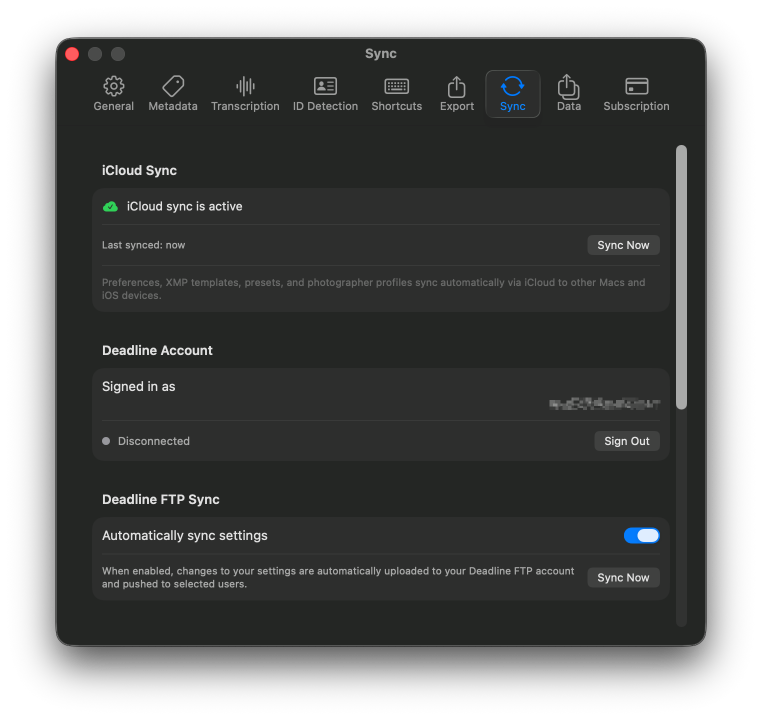
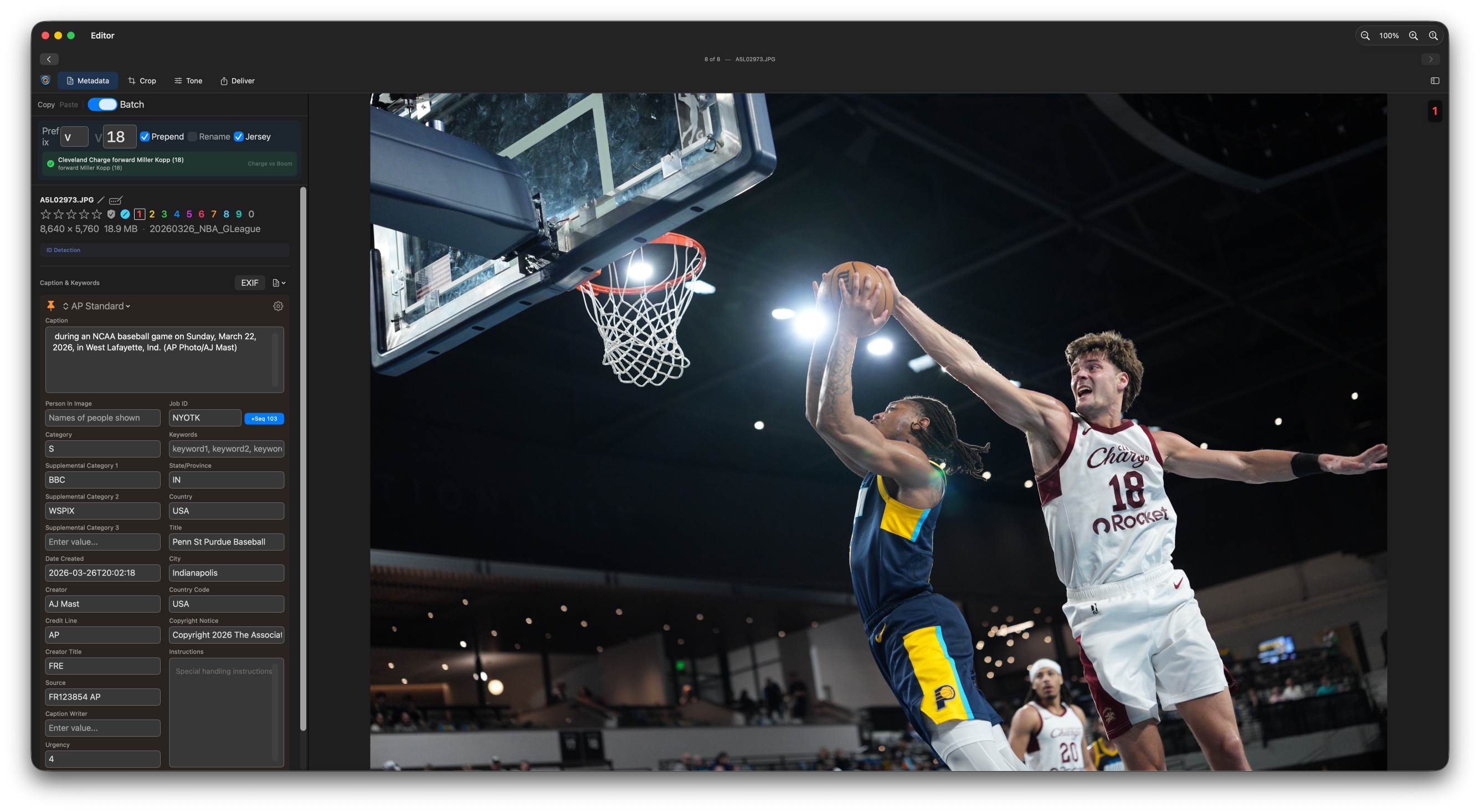
XMP templates let you pre-fill metadata fields automatically when importing or processing images. Deadline Editor supports 66+ XMP/IPTC fields organized into 8 categories, with 50+ built-in variables for dynamic values.
Metadata Categories
Basic
Title, description, rating, label, and core identifiers.
Description
Caption, headline, keywords, and subject descriptors.
Creator
Photographer name, title, contact info, and organization.
Content
Genre, scene, subject code, and intellectual genre.
People
Person in image, person shown, and model info.
Location
City, state, country, sublocation, and GPS data.
Rights
Copyright notice, usage terms, credit line, and source.
Workflow
Job identifier, instructions, transmission reference.
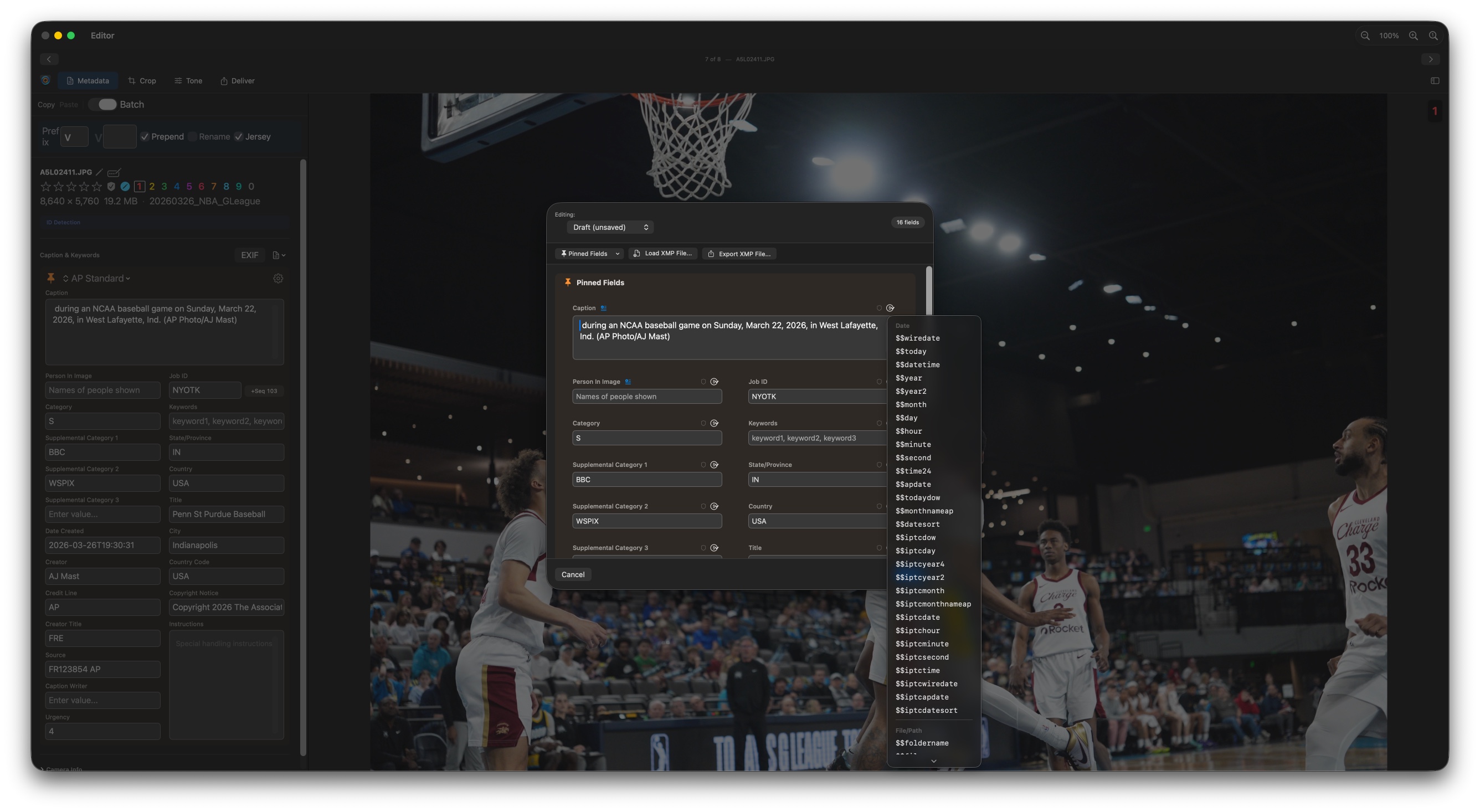
Templates support 50+ built-in variables that are replaced with actual values when the template is applied. Three syntax styles are supported:
| Syntax | Type | Description |
|---|---|---|
$variable |
Immediate | Resolved when the template is applied |
$$variable |
Deferred | Resolved later (e.g., at export time) |
{variable} |
Photo Mechanic | Photo Mechanic-compatible syntax |
$variable:1-2 |
Modifier | Part of the value, or its capitalisation — see below |
Modifiers
A colon and a modifier take part of what a variable resolves to, or change its case. They work on every variable — including your own Quick Text codes — because they run after the variable has resolved, and they chain left to right.
| Modifier | Description | Example | Result |
|---|---|---|---|
:N | The first N characters | $$filename:2 | KN |
:N-M | Characters N through M, both ends included | $$filename:5-9 | 16789 |
:N- | Character N through the end | $$filename:5- | 16789 |
:-N | The last N characters | $$filename:-4 | 6789 |
:upper | The whole value in capitals | $$city:upper | DENVER |
:lower | The whole value in lower case | $$city:lower | denver |
:title | First letter of each word up, the rest down | $$batchid:title | Marcus Vale |
:mod:mod | Chained, applied left to right | $$filename:2:upper | KN |
Positions start at 1 and both ends are included, so :1-2 is the first two characters. Out-of-range bounds simply give you the whole value. A misspelled modifier leaves the whole token exactly as typed, so the mistake is visible rather than producing a wrong filename.
On a custom date format the modifier goes last — $$capdate:YYYYMMDD:-4 — and a format containing its own colons still works, as in $$capdate:HH:mm.
While typing, a $variable becomes its value once you type a space or punctuation after it. That pause is what lets you add a modifier: type $filename, then :1-2, then a space. Choosing a variable from the autocomplete list with Enter or Tab inserts the value straight away instead.
Common Variables
| Variable | Description |
|---|---|
$filename |
Original filename without extension |
$framenumber |
The camera's frame counter — the last four digits of the filename. Cameras follow the DCF standard (a four-character prefix plus a four-digit counter), which is why the counter rolls over at 9999 and the prefix steps instead. Also available as $frameno and $fnm. |
$date |
Capture date (from EXIF) |
$time |
Capture time (from EXIF) |
$camera |
Camera model name |
$serial |
Camera serial number |
$lens |
Lens model |
$iso |
ISO speed |
$folder |
Parent folder name |
$batchid |
Assigned batch ID |
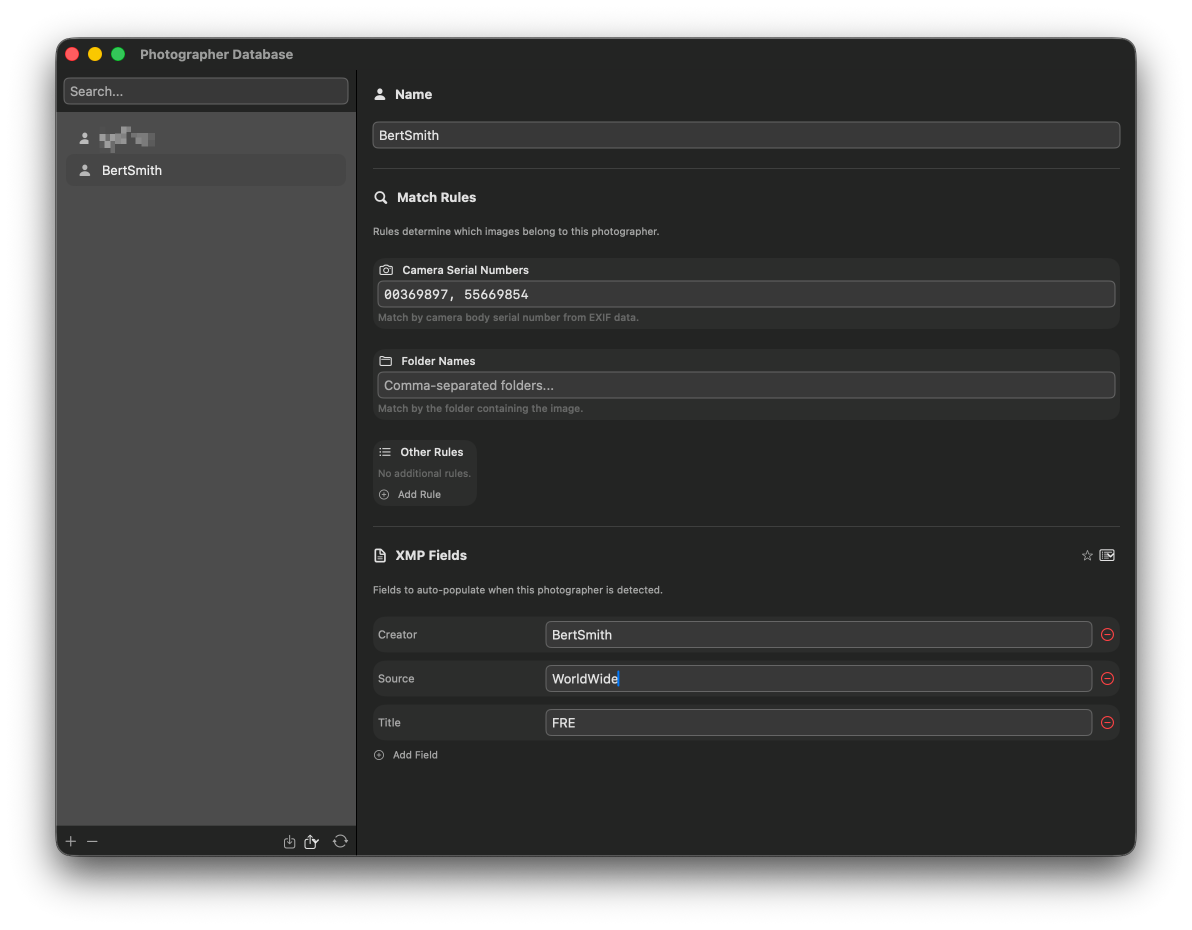
$$pinfo |
Triggers photographer detection and auto-fills configured fields |
Use $$pinfo in any template field to trigger automatic photographer detection. The system identifies the photographer from camera serial numbers, folder names, or XMP field values, then fills in all configured per-photographer fields (creator, copyright, city, etc.).
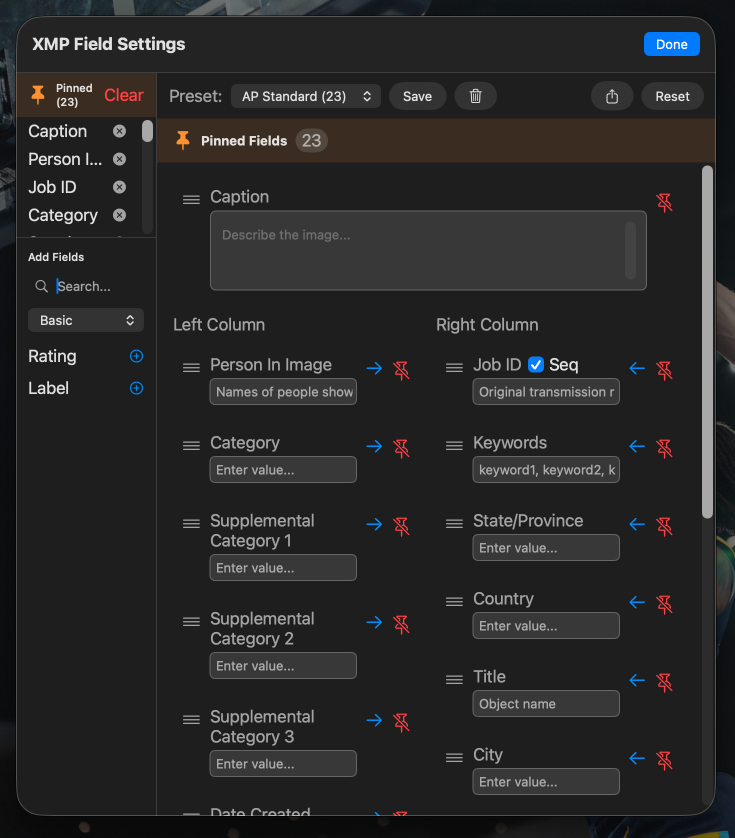
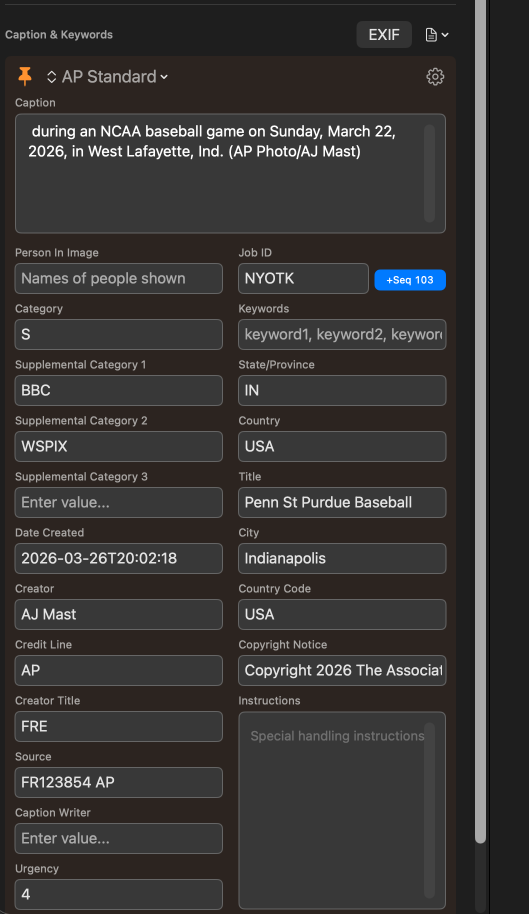
Pin your most-used metadata fields to keep them always visible in a customizable left/right column layout. This lets you focus on the fields that matter for your workflow without scrolling through all 66+ available fields.
- Left column — Typically used for frequently-edited fields like Caption, Headline, Keywords
- Right column — Typically used for reference fields like Credit, Source, Copyright
- Drag to reorder — Arrange pinned fields in the order you work through them
- Field locking — Lock individual fields to prevent accidental edits after template application
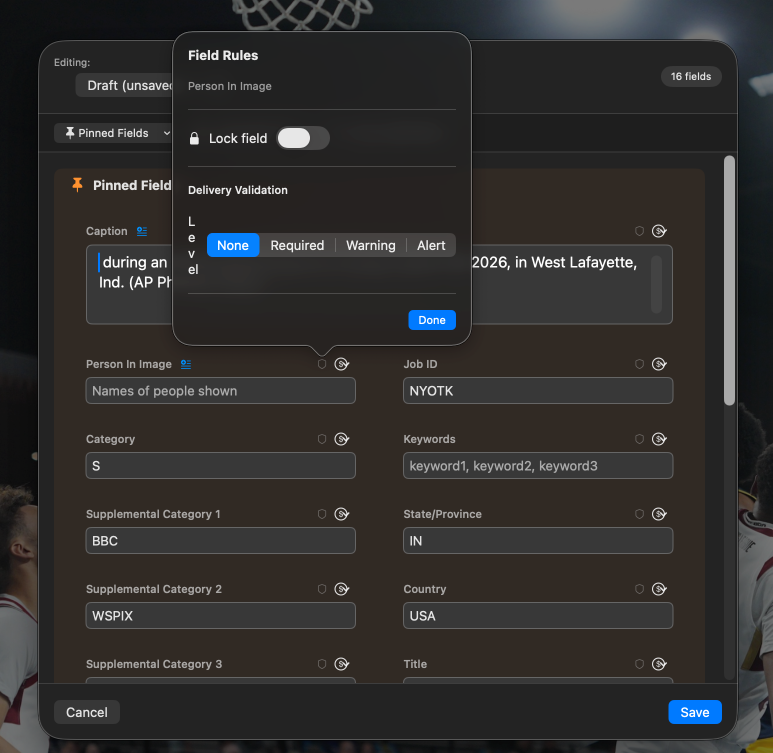
Define per-field validation rules on XMP templates to catch missing or incorrect metadata before delivery. Validation runs automatically at export time.
Severity Levels
| Level | Behavior |
|---|---|
| Required | Blocks delivery entirely. The image cannot be exported until the field is corrected. |
| Alert | Requires per-image acknowledgment. You must review and explicitly approve each flagged image. |
| Warning | Shows a dismissible notice. You can acknowledge and proceed without changes. |
Trigger Conditions
Each validation rule can trigger on one of five conditions:
- Field is empty — Flag when a required field has no value
- Field has a value — Flag when a field should be empty but isn't
- Value changed from template — Flag when the value differs from the template default
- Value matches specific text — Flag when a field contains placeholder or unwanted text
- Always review — Always flag this field for manual review
For wire service delivery, set Caption and Credit as Required, Headline as Alert, and Keywords as Warning. This ensures the most critical fields are never missed while allowing flexibility on secondary fields.
When you export a batch of images with validation enabled, Deadline Editor uses progressive delivery:
- Validation runs — All selected images are checked against your template's validation rules
- Passing images deliver immediately — Images with no validation issues are exported right away
- Failing images are held — Images with issues appear in a floating validation panel
- Fix and re-validate — Click a filename in the validation panel to jump to that image, fix the metadata, then re-validate
- Newly passing images deliver — After re-validation, images that now pass are exported without restarting the batch
Progressive delivery means your best images get to the wire immediately. You don't have to wait for the entire batch to be perfect before any images go out — fix stragglers while the good ones are already delivered.
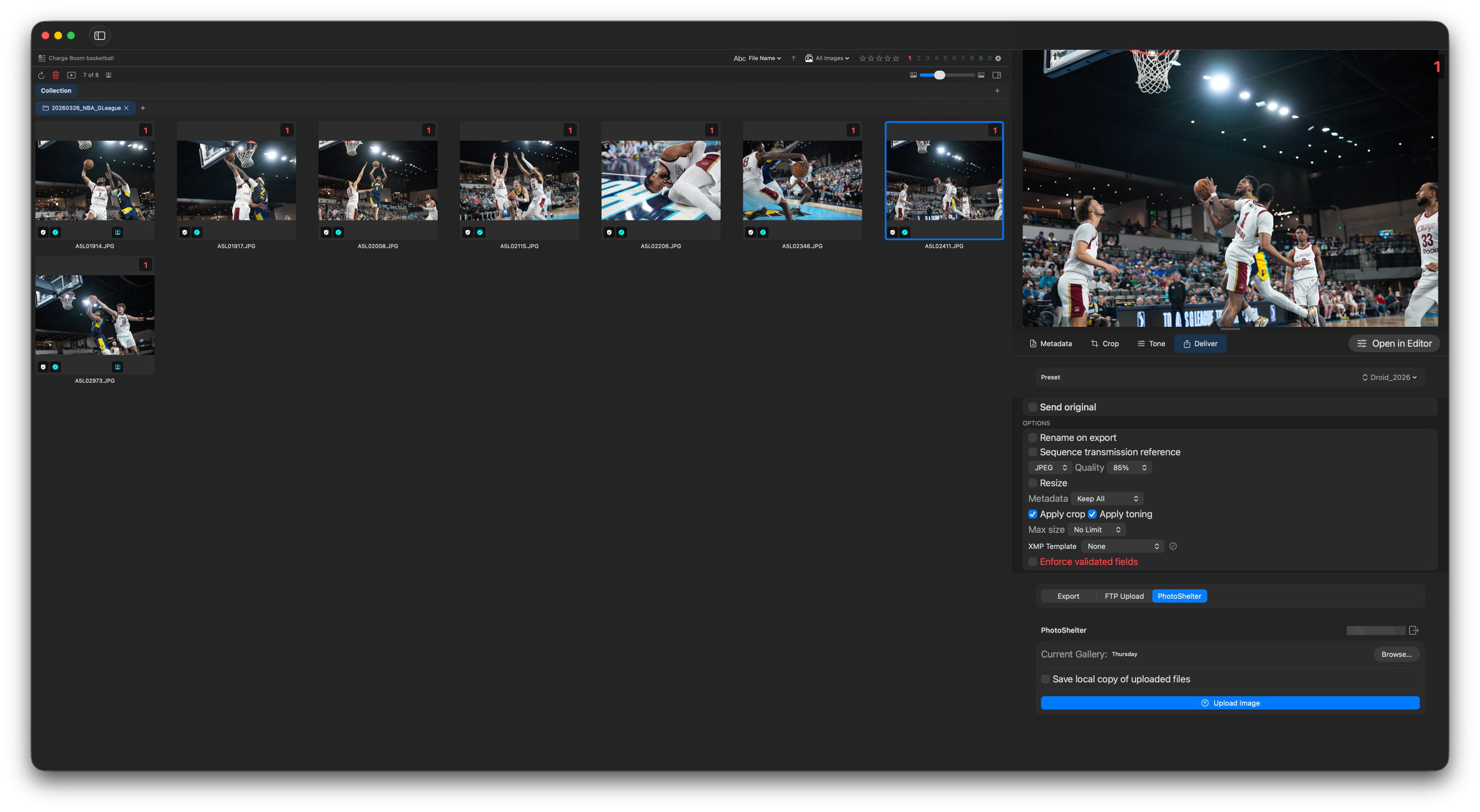
Apply metadata changes to hundreds of images at once:
- Apply templates — Apply an XMP template to all selected images, resolving variables per-image
- Batch field editing — Set the same value for a specific field across all selected images
- Find & Replace — Search and replace text across metadata fields with batch support
- Copy/paste metadata — Copy all metadata from one image and paste onto others
- Batch color codes & ratings — Apply ratings and labels to entire selections
Share templates and settings across your team and devices:
- DeadlineFTP auto-sync — Push templates to your team via the DeadlineFTP dashboard with per-type toggles
- Peer sharing — Select specific team members to receive your configuration updates
- iCloud sync — Templates, presets, and profiles sync across your own devices automatically
- JSON export/import — Export all settings as a portable file for backup or onboarding
DeadlineFTP sync supports XMP templates, pinned field layouts, Quick Text files, photographer profiles, delivery presets, and FTP server configurations. Each type can be toggled independently.